Chapter 10: ChatGPT for Everyday Productivity and Scheduled Work
Everyday productivity is not about doing more busywork. It is about turning scattered inputs into clear decisions, tasks, templates, and follow-through. ChatGPT can help organize daily chaos, but humans must still decide what matters, what to refuse, and what deserves attention.
10.1 Turning Daily Chaos Into Clear Tasks
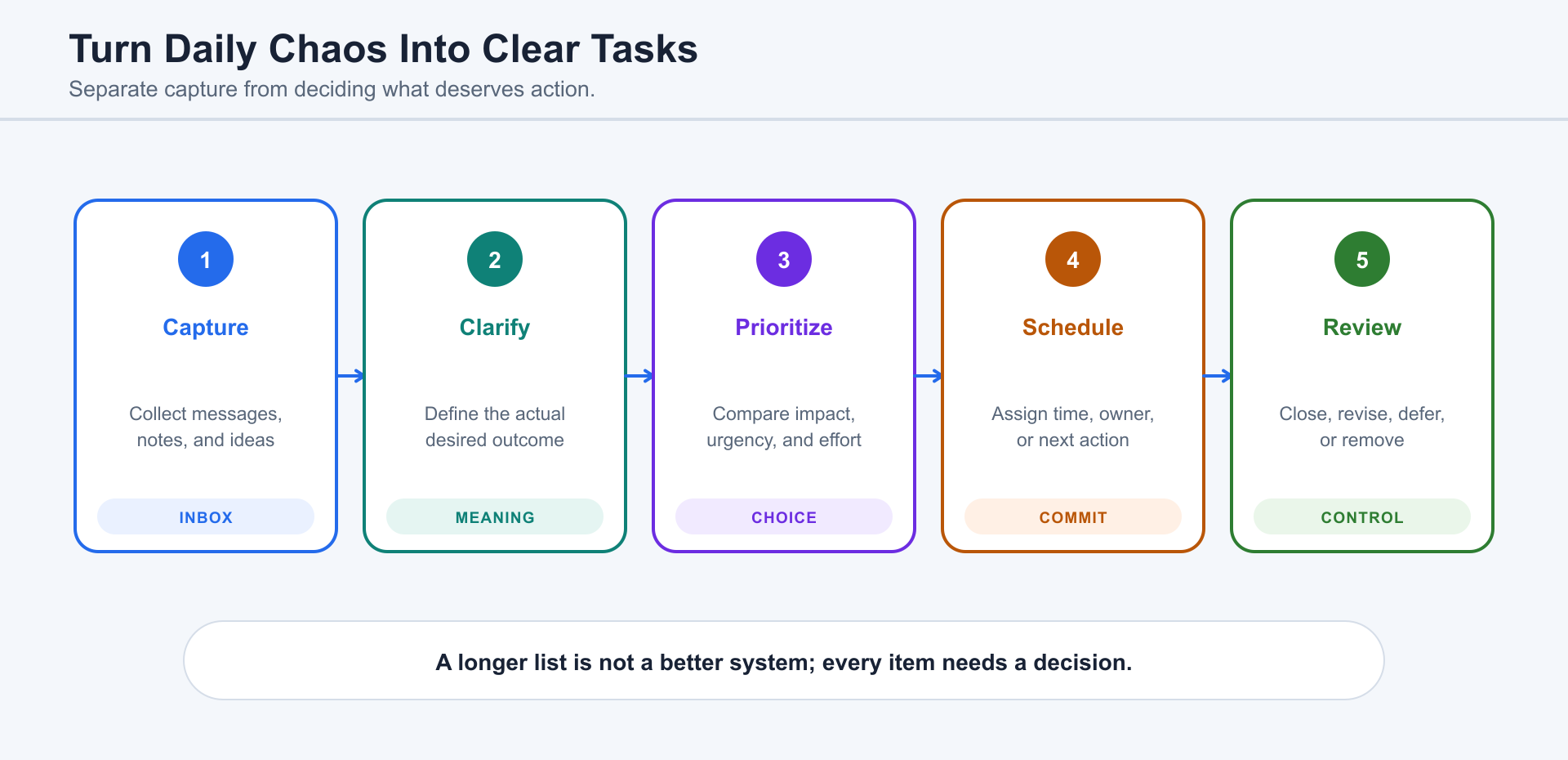
Section titled “10.1 Turning Daily Chaos Into Clear Tasks”Daily work arrives as emails, messages, meeting notes, ideas, files, reminders, and worries. ChatGPT can separate these into categories: information, decision, task, waiting item, calendar item, reference material, and someday idea. A real task should have an action, object, owner, deadline, and next step.
If the human is overwhelmed, ChatGPT should not simply create a giant list. It should ask what is urgent, what is important, what has a deadline, what depends on someone else, and what can be dropped. Productivity begins by reducing noise.
10.2 Planning Days, Weeks, and Projects
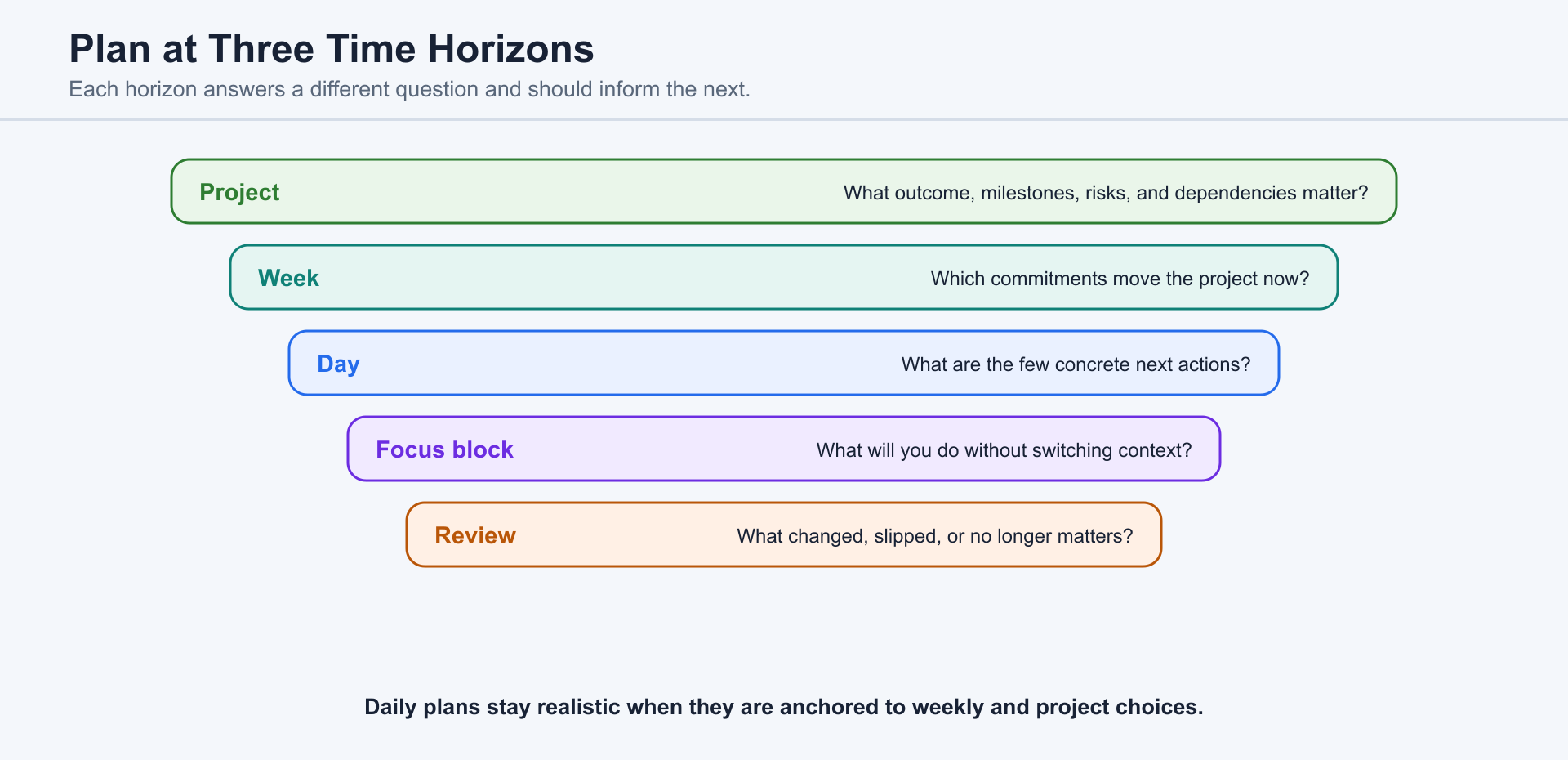
Section titled “10.2 Planning Days, Weeks, and Projects”A daily plan should fit human energy, not just time slots. A weekly plan should identify the few outcomes that matter most. A project plan should show milestones, dependencies, risks, and review points. ChatGPT can convert scattered obligations into a realistic plan, but humans must be honest about available time and energy.
A useful request is: “Here is everything on my mind. Help me choose the three most important outcomes for this week, schedule focused work blocks, identify what I should postpone, and draft any messages needed to reset expectations.”
10.3 Personal Workflows vs. Team Workflows
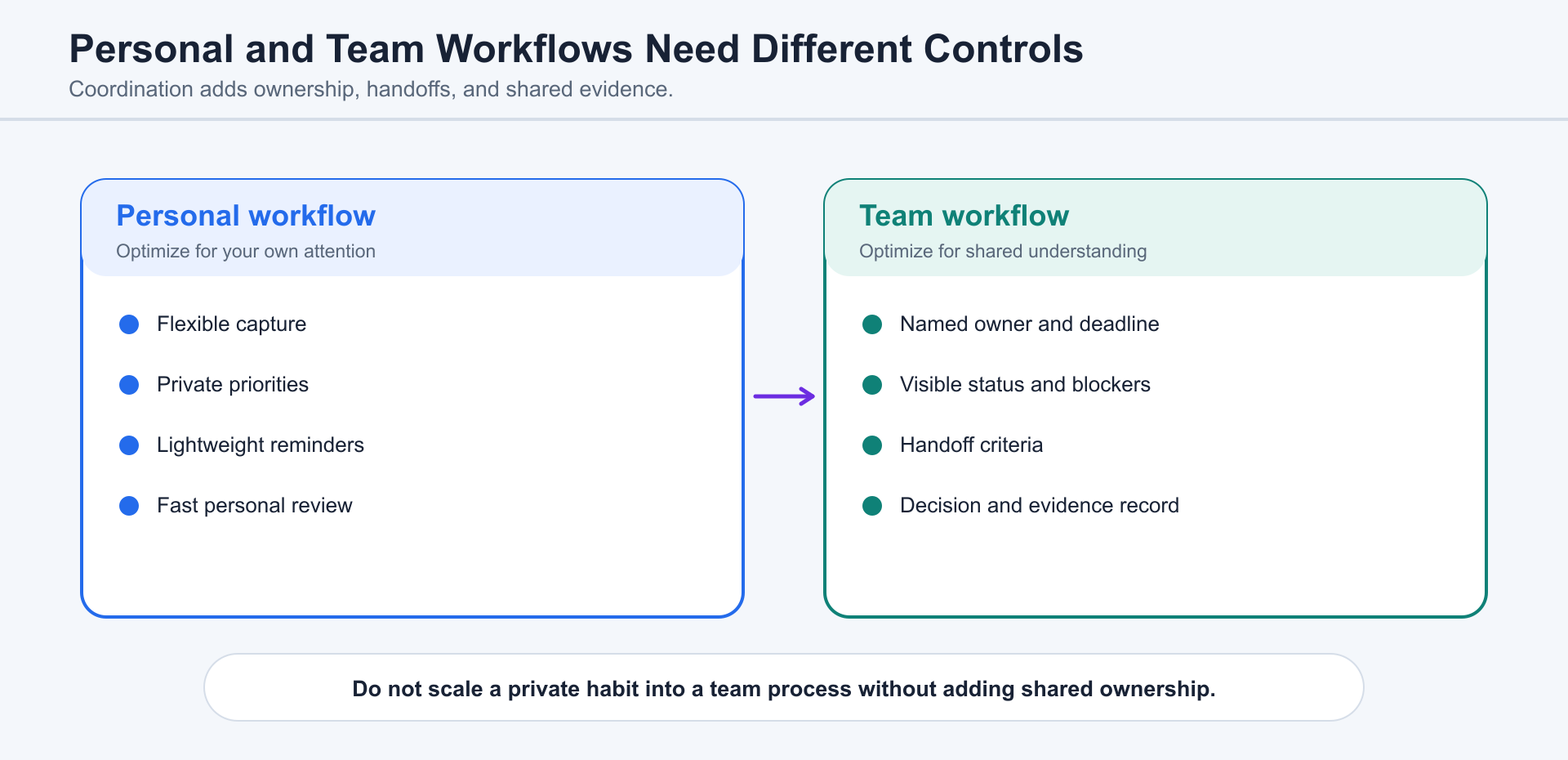
Section titled “10.3 Personal Workflows vs. Team Workflows”Personal workflows can be lightweight. Team workflows need visibility. A personal reminder can live in a notebook. A team commitment needs an owner, status, location, decision history, and handoff path. ChatGPT can help translate private notes into shared tasks and shared tasks into personal next actions.
For teams, ChatGPT can summarize meetings, create action items, update project management systems, draft follow-ups, and produce decision logs. Humans must check whether the summary accurately reflects what was agreed, not merely what was discussed.
10.4 Checklists, Templates, and Standard Operating Procedures
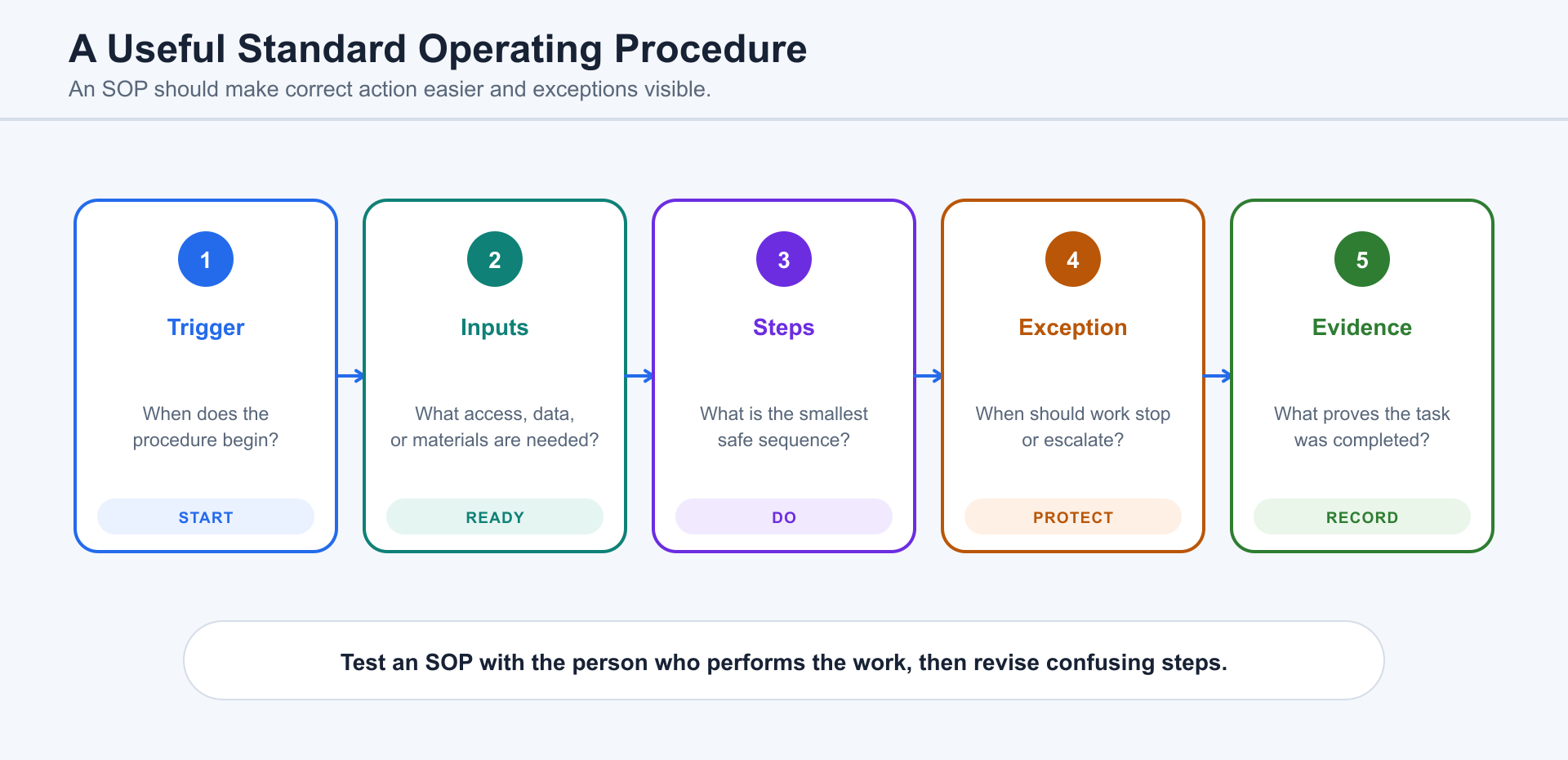
Section titled “10.4 Checklists, Templates, and Standard Operating Procedures”Repeated work should become a checklist, template, or SOP. Publishing a blog post, onboarding a client, preparing a monthly report, launching a page, sending invoices, and closing a support ticket all benefit from standard steps. ChatGPT can observe a one-time process and turn it into repeatable instructions.
Good SOPs are clear enough for another person to use. They include purpose, inputs, steps, decision points, tools, quality checks, failure handling, and owner. They should be updated when reality changes. A stale SOP can be worse than no SOP.
10.5 Working With Files, Notes, Spreadsheets, and Tables
Section titled “10.5 Working With Files, Notes, Spreadsheets, and Tables”Many productivity problems are information-structure problems. Files are named inconsistently. Notes are scattered. Tables lack clear fields. Data has duplicates. ChatGPT can help design folder structures, naming conventions, spreadsheet columns, validation rules, summaries, and lookup formulas.
For spreadsheets, humans should define what the data means. ChatGPT can clean, sort, calculate, and visualize, but it may not know which numbers are authoritative. For notes, ChatGPT can summarize and tag, but humans should decide what is worth keeping.
10.6 Email, Calendar, Meeting Notes, and Follow-Ups
Section titled “10.6 Email, Calendar, Meeting Notes, and Follow-Ups”Meetings create value only when decisions and follow-ups are captured. ChatGPT can turn transcripts or notes into summaries, decisions, action items, owner lists, deadlines, and follow-up emails. It can also draft calendar blocks and reminders.
Humans should review whether the notes confuse discussion with decision. “We talked about changing the price” is not the same as “We approved a price change.” ChatGPT can help, but the meeting owner must confirm the record.
10.7 Scheduled Tasks and Background Work
Section titled “10.7 Scheduled Tasks and Background Work”Use recurring or delayed work for outcomes such as daily reports, weekly summaries, recurring checks, and follow-up reminders. The product concept is defined once in Chapter 3; this chapter focuses on productive use.
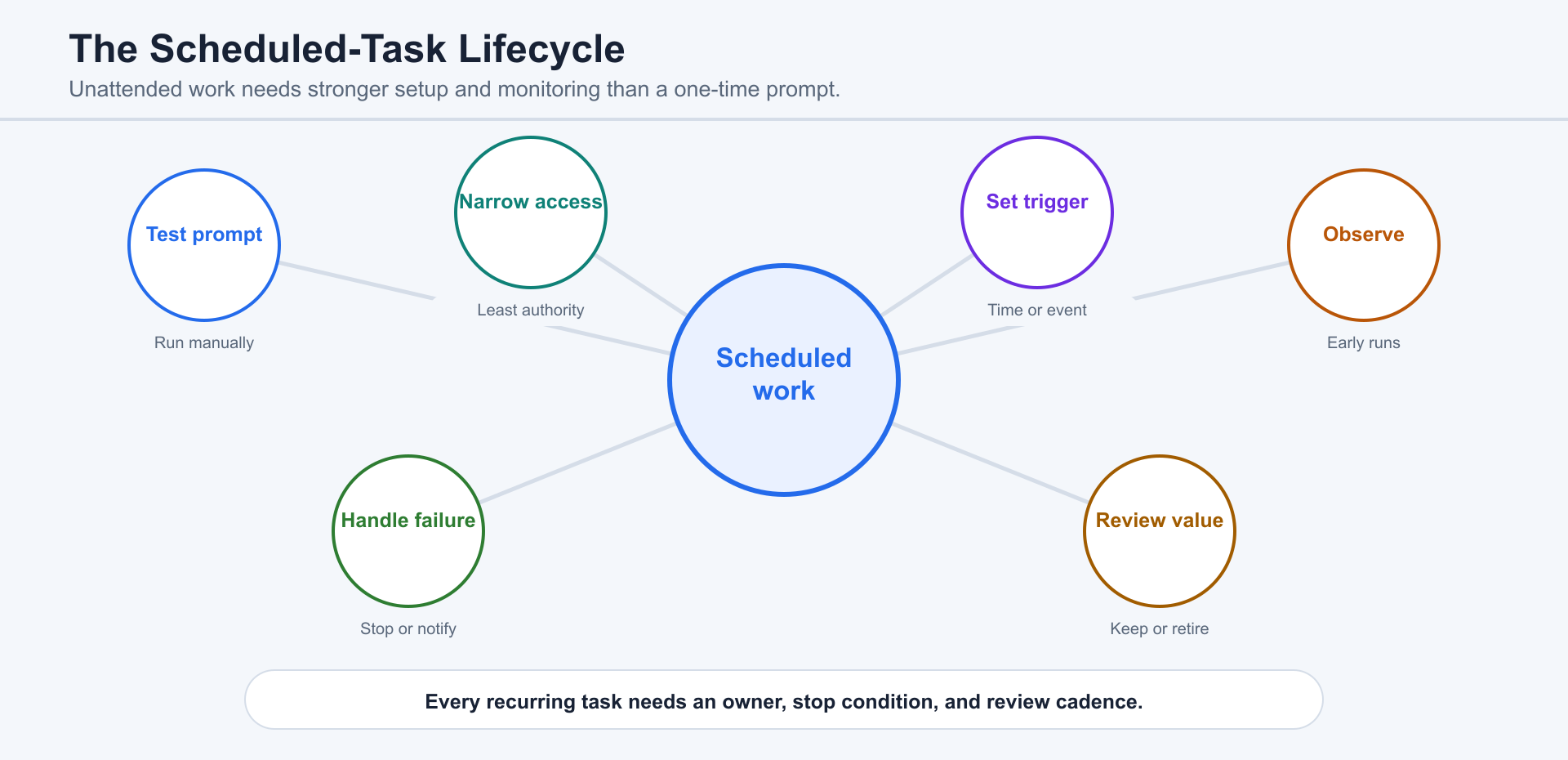
Before scheduling, write down the expected input, cadence, output, stop condition, and responsible reviewer. Test the task manually and confirm that its context will still be valid when it runs later.
Recurring work runs without a person watching every step. Apply Chapter 13’s permission and sandbox guidance, review early runs, and define when the task should stop, report uncertainty, or ask for input.
10.8 Plugins for Repeated Work
Section titled “10.8 Plugins for Repeated Work”Use a Plugin when repeated work depends on a consistent method or an approved external system. Chapter 3 owns the definition of Plugins, skills, connectors, and apps.
Review integration risk and authentication using Chapter 13.
10.9 Reviewing Runs, Failures, and Exceptions
Section titled “10.9 Reviewing Runs, Failures, and Exceptions”Review each run for the expected context, tools, files, cadence, output, and exception state. Repetition can amplify a small error, so define failure handling and stop conditions before increasing autonomy.
10.10 Avoiding Productivity Theater
Section titled “10.10 Avoiding Productivity Theater”Automation is valuable only when it reduces useful work without hiding failures or creating a new maintenance burden. Measure time saved, errors reduced, decisions improved, and attention required. Remove schedules, Plugins, templates, and dashboards that no longer serve a clear outcome.
Review Checklist
Section titled “Review Checklist”Check purpose, cadence, context, data freshness, permissions, sandbox, network access, local machine requirements, failure notifications, stop conditions, human approval points, and maintenance owner.